Home
HomeLiquid Transport
In this tutorial we use two different liquid transport models, namely sponge and porous.
Name of the case: Project_Liquid_Transport
Sponge Model
In the first simulation we place a single particle in a box and remove the gravity entry. We select the washino/capillary/viscous model with the setting limitLiquidContent on and combine it with the liquidtransport/sponge model. This causes the addition of several new entries to the material properties section, such as the contact angle, the maximal liquid content, a swell factor and a swell saturation. In addition to that several global properties are required.
For adding the liquid during the calculation we have to add an update_particle command in the Physics models tab.
In the Output Settings tab, we calculate the (average) particle radius, surface and volume liquid content. Please note that the calculation of the average radius requires the definition of a variable in the Custom Settings tab.
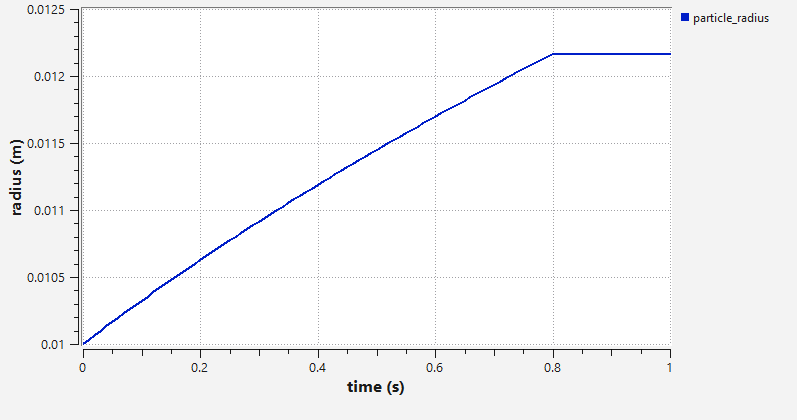
The sponge model triggers the growth of the particle in dependece of the liquid flux. Since the maximal liquid content is limited, the particle stops growing once this limit is reached. This graph shows the radius of the particle over time:
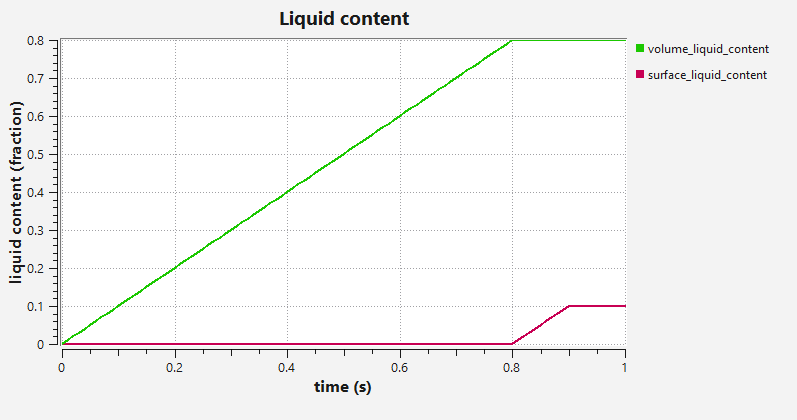
Here, surface and volume liquid content are visualized. First, the volume liquid content increases, when the maxmial volume liquid content (swell saturation 0.8) is reached, the surface liquid content starts to grow until it reached its limit (0.1). The excess liquid from then on is ignored.
Porous Model
In the second simulation we place a single particle in a box and remove the gravity entry. We select the washino/capillary/viscous model with the setting limitLiquidContent on and combine it with the liquidtransport/porous model. This causes the addition of several new entries to the material properties section, such as the contact angle, the maximal liquid content and a porosity. In addition to that several global properties are required.
For adding the liquid during the calculation we have to add an update_particle command in the Physics models tab.
In the Output Settings tab, we calculate the (average) mass as well as surface and volume liquid content.
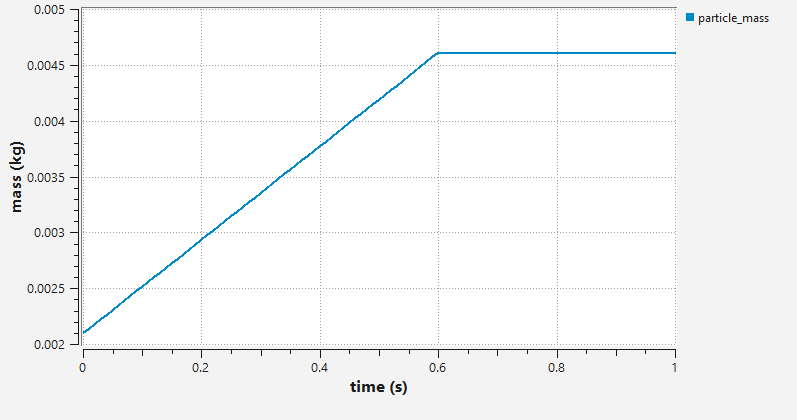
The porous model triggers the increase of the particle mass without any volumetric change. Since the maximal liquid content is limited, the increase of the mass stops as soon as the limit is reached.
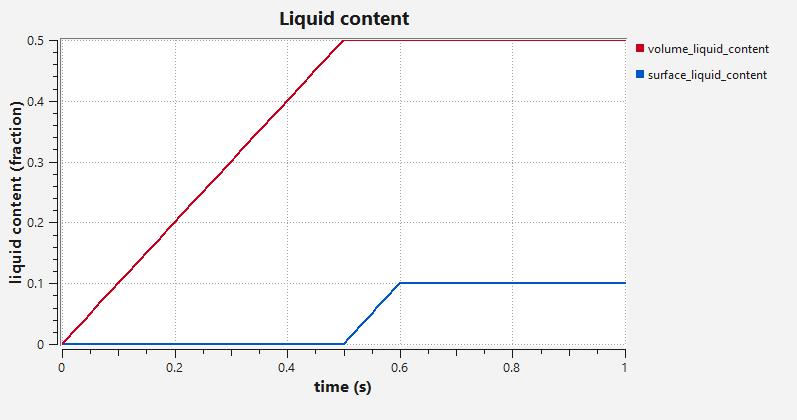
The image shows the surface and volume liquid content of the particle over time.