Return to the region documentation.
style cone
Purpose
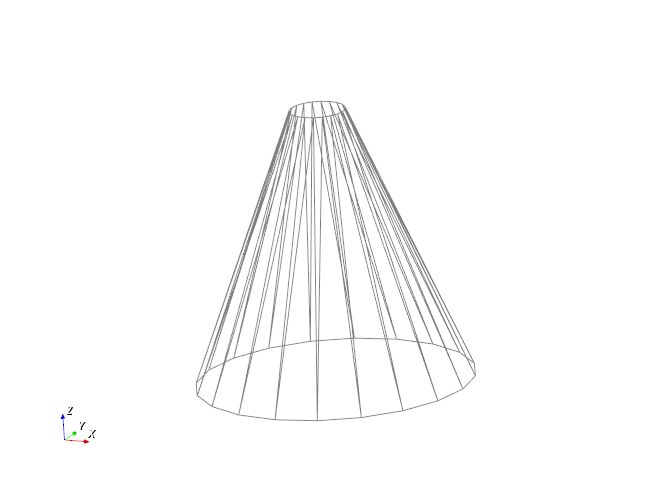
style cone is used to generate a region with the shape of a cone or truncated cone.
Syntax
region id my_cone style cone center_bottom (x_min, y_min, z_min) center_top (x_max, y_max, z_max) radius_bottom r_bot radius_top r_top keyword value
Keyword |
Description |
|---|---|
center_bottom |
obligatory vector of center at bottom of cone
units: [length]
|
center_top |
obligatory vector of center at top of cone
units: [length]
|
radius_bottom * |
obligatory, cone radius at bottom end
range: (0,∞); units = [length]
|
radius_top * |
obligatory, cone radius at top end
range: (0,∞); units: [length]
|
General keywords of the region command |
*Either radius can be zero, but not both at the same time. If the radii are equal, the cone degenerates into a cylinder.
Examples
region id my_cone style cone center_bottom (0, 1, 0) center_top (0, 2, 0) radius_bottom 1 radius_top 0.1
region id my_cone style cone center_bottom (0, 0, 0) center_top (0, 0.1, 1) radius_bottom 1 radius_top 0
region id my_cone style center_bottom (0, 0, 0) center_top (0, 0., INF) radius_bottom 0.4 radius_top 0
region id my_cone style center_bottom (0, 0, 0) center_top (0, 0., EDGE) radius_bottom 0.4 radius_top 0
Note
The third example will create a conical region having an “infinite” height (INF is equal to
±1e20 depending on the usage); hence, it will correspond to a cylinder having radius equal
to 0.4. The fourth example, on the other hand, will create a conical region extending vertically from
(0, 0, 0) upto (0, 0, EDGE), where EDGE is equal to the simulation boundary in z-direction.